

Choosing online banks with mobile deposit can make everyday money management much easier, especially for people who receive paper checks but prefer to handle their finances without visiting a traditional bank branch. Mobile deposit allows customers to use a smartphone camera to submit eligible checks directly through a banking application. Instead of traveling to a branch or finding an ATM, customers can often complete the process in just a few minutes. The exact deposit limits, processing times, eligibility requirements, and fund availability policies vary between financial institutions, so understanding these details is important before opening an account.
What Is Mobile Check Deposit?
Mobile check deposit is a digital banking feature that allows customers to deposit paper checks by photographing them with a smartphone or tablet. The images are securely transmitted through the bank’s mobile application for processing.
The process is commonly referred to as remote deposit capture. The FDIC explains that remote deposit capture allows customers to photograph a check with a mobile device and electronically send it to their financial institution without visiting a branch or ATM.
Most mobile deposit processes involve several basic steps:
- Sign in to the bank’s mobile application.
- Select the appropriate checking or savings account.
- Enter the check amount.
- Endorse the back of the check according to the bank’s instructions.
- Photograph the front and back of the check.
- Review the information carefully.
- Submit the deposit.
- Keep the original check until the bank confirms that it has been processed.
Good lighting, a flat surface, and a clear camera image can help prevent problems during submission.
Why Choose an Online Bank With Mobile Deposit?
Online banking can be particularly useful for customers who value convenience. Without regular access to a physical branch, customers can still deposit eligible checks from home, work, or another suitable location.
The biggest benefit is convenience. A person who receives a reimbursement check, personal check, business payment, or other eligible paper check may not need to rearrange their schedule to visit a banking location.
Mobile banking can also combine deposit services with other financial tools. Modern banking applications may provide balance monitoring, transaction history, transfers, bill payment, savings tools, alerts, and other features in one place.
Main Benefits
- Deposit checks without visiting a branch
- Complete deposits using a smartphone
- Access banking services outside normal branch hours
- Review balances and transaction history
- Transfer money between eligible accounts
- Receive deposit notifications
- Reduce the need for paper-based banking
- Manage finances while traveling
- Combine deposits with other digital banking services
Features to Compare Before Opening an Account
Not every digital bank offers exactly the same mobile deposit experience. A convenient application is useful, but other account terms can be equally important.
Customers should examine deposit limits, fund availability, supported check types, fees, transfer options, ATM access, customer support, and account requirements.
| Feature | Why It Matters |
|---|---|
| Mobile deposit | Allows checks to be submitted through a phone |
| Deposit limits | Determines how much can be deposited electronically |
| Funds availability | Shows when deposited money can be used |
| Mobile app | Controls how easily customers can manage accounts |
| ATM access | Provides another way to access cash |
| Transfer options | Makes moving money between accounts easier |
| Account fees | Helps determine the overall cost of banking |
| Security tools | Helps protect accounts and personal information |
| Customer support | Important when deposits or accounts encounter problems |
Deposit limits can vary significantly between institutions and accounts. Some banks display the applicable limit when customers begin the mobile deposit process. Capital One, for example, states that mobile deposit limits apply and customers are notified of their limit when making a deposit.
How the Mobile Deposit Process Works

The exact application interface differs by bank, but the overall process is similar.
Step 1: Prepare the Check
Make sure the check is payable to you or otherwise eligible under the bank’s rules. Follow the institution’s endorsement instructions carefully. Some banks require customers to write specific wording on the back of the check.
For example, Ally instructs customers using its eCheck Deposit service to endorse the check and write “For Mobile Deposit Only” beneath the signature.
Step 2: Open the Banking App
Sign in using your normal credentials. Choose the account where you want the money deposited and locate the deposit option.
Step 3: Enter the Amount
Enter the check’s exact amount. Make sure the number entered in the application matches the amount written on the check.
Step 4: Photograph Both Sides
Place the check on a flat, contrasting surface in a well-lit location. Capture clear images of both sides. Avoid shadows, glare, blurry images, or cropped edges.
Step 5: Submit the Deposit
Review the information before confirming the transaction. The bank may provide an electronic confirmation after the deposit has been submitted.
Step 6: Retain the Original Check
Do not immediately destroy the paper check. Keep it safely stored until the financial institution confirms that the deposit has been accepted and the funds are available.
The FDIC recommends keeping track of deposited checks and retaining the original until the transaction has cleared.
Understanding Deposit Availability
One of the most important things to understand is that submitting a check does not necessarily mean the money becomes available immediately.
Banks may review the deposit, verify the check, and apply a hold before allowing the funds to be withdrawn. The timing can depend on the institution, account history, check type, deposit amount, and time of submission.
For example, Capital One says eligible mobile check deposits generally reach an account by the next business day, while certain savings deposits may be subject to longer holds.
Ally also provides specific processing cut-off times and sends customers an email regarding deposit status.
| Deposit Factor | Possible Effect |
|---|---|
| Deposit time | Affects processing day |
| Business day | Can affect when processing begins |
| Check type | May affect eligibility and availability |
| Deposit amount | May be subject to limits or additional review |
| Account history | Can influence availability policies |
| Image quality | Poor images can cause rejection |
| Bank policies | Each institution establishes its own procedures |
For this reason, customers should avoid assuming that a mobile deposit will provide immediate access to funds.
Security Considerations
Security is another major consideration when choosing a digital banking provider.
Customers should use the official banking application, keep the phone’s operating system updated, create strong and unique login credentials, and enable available security features such as biometric authentication or multi-factor authentication.
Avoid conducting sensitive banking activities over unsecured public networks whenever possible. Customers should also be cautious about suspicious emails, text messages, and phone calls requesting passwords, verification codes, or account information.
The FDIC specifically warns consumers about phishing, smishing, and vishing attempts designed to obtain personal financial information.
Simple Mobile Banking Security Practices
- Use a strong password or passcode.
- Enable biometric authentication when available.
- Keep banking applications updated.
- Turn on account and transaction alerts.
- Avoid sharing verification codes.
- Do not click suspicious banking-related messages.
- Use the official banking app rather than unfamiliar links.
- Lock your phone when it is not in use.
- Review account activity regularly.
- Report suspicious transactions quickly.
Online Bank vs. Traditional Bank for Mobile Deposits
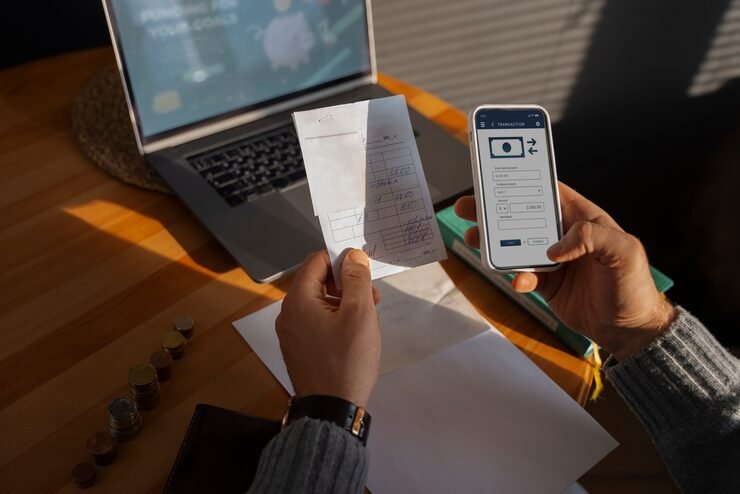
A traditional bank may provide branches, ATMs, personal assistance, and digital services. An online-focused bank may emphasize digital account management and mobile tools.
The right choice depends on how frequently you use branches, how often you deposit checks, how you access cash, and which other banking features matter to you.
| Consideration | Online-Focused Banking | Traditional Banking |
|---|---|---|
| Mobile deposits | Commonly available | Commonly available |
| Physical branches | Limited or none | Usually available |
| Mobile banking | Important service | Usually available |
| Cash deposits | May be limited | Often easier |
| In-person support | Limited | Available at branches |
| Remote account management | Strong focus | Available |
| ATM access | Depends on network | Often extensive |
| Check deposits | Often supported digitally | Digital and branch options may exist |
People who rarely use cash and prefer managing accounts through a phone may appreciate an online-focused experience. Someone who frequently deposits cash or wants face-to-face assistance may place greater importance on branch availability.
Who Can Benefit From Mobile Deposit?
Mobile deposit can be useful for many different types of customers.
Remote workers and freelancers may receive occasional checks from clients. Small business owners may receive paper payments that need to be deposited quickly. Students may receive checks from family members or organizations. Travelers may also appreciate being able to deposit eligible checks without searching for a nearby branch.
Retirees and people with limited mobility may find remote deposits convenient because they can reduce the need for unnecessary trips.
The feature is also helpful for people who simply prefer digital financial management. Instead of collecting checks until a convenient branch visit becomes possible, an eligible check can often be submitted through a banking application.
Common Mobile Deposit Problems
Although the process is usually straightforward, deposits can sometimes fail.
A check may be rejected because the image is unclear, the endorsement is incomplete, the amount was entered incorrectly, or the check does not meet the bank’s eligibility requirements.
Other problems can occur when customers try to deposit the same check more than once. This is one reason it is important to keep accurate records and clearly identify checks that have already been submitted.
If a deposit is rejected, customers should read the bank’s notification carefully and follow its instructions rather than repeatedly submitting the same item.
How to Choose the Right Account
When comparing online banking providers, avoid looking only at whether mobile deposit is offered. Consider the complete banking experience.
A useful checklist includes:
- Mobile deposit availability
- Maximum deposit amounts
- Processing and availability times
- Monthly account fees
- Minimum balance requirements
- ATM network
- Customer service options
- Mobile application quality
- Security features
- Transfer capabilities
- Direct deposit options
- Savings and checking account choices
- FDIC insurance status for eligible bank deposits
Customers should also verify that they are dealing directly with an insured bank when deposit insurance is important to them. The FDIC has introduced an official digital sign for insured banks’ websites and mobile applications to help consumers identify FDIC-insured institutions and digital deposit-taking channels.
Final Thoughts
Mobile check deposit has changed the way many people handle paper checks. Instead of relying entirely on branches or ATMs, customers can often photograph an eligible check and submit it through a smartphone application. The convenience is especially valuable for people who prefer digital banking, travel frequently, work remotely, or live far from physical banking locations. However, customers should compare deposit limits, processing times, fees, security features, ATM access, customer support, and insurance status before choosing an account. Understanding the complete service rather than focusing on mobile deposit alone can help consumers select an account that fits their everyday financial habits.
Frequently Asked Questions
1. How does mobile check deposit work?
Mobile check deposit allows customers to photograph an eligible paper check using a banking application. The customer normally enters the check amount, photographs the front and back, reviews the information, and submits the deposit electronically.
2. Are mobile deposits available immediately?
Not always. A bank may process the deposit quickly while still placing a hold before the money can be withdrawn. Availability depends on the institution’s policies and other factors.
3. Are there limits on mobile check deposits?
Yes. Many financial institutions establish daily, weekly, or monthly limits. The applicable limit can depend on the account and the customer’s banking history.
4. Should I keep a check after depositing it through my phone?
Yes. It is generally sensible to retain the original check in a secure place until the deposit has been accepted and the bank’s instructions indicate that it is safe to dispose of it. The FDIC recommends keeping track of deposited checks until they have cleared.
5. What should I look for when choosing an online bank?
Look beyond mobile deposit. Compare fees, deposit limits, funds availability, ATM access, transfer options, customer support, security features, account requirements, and applicable deposit insurance. A broader comparison can help ensure that the account suits your regular banking needs.